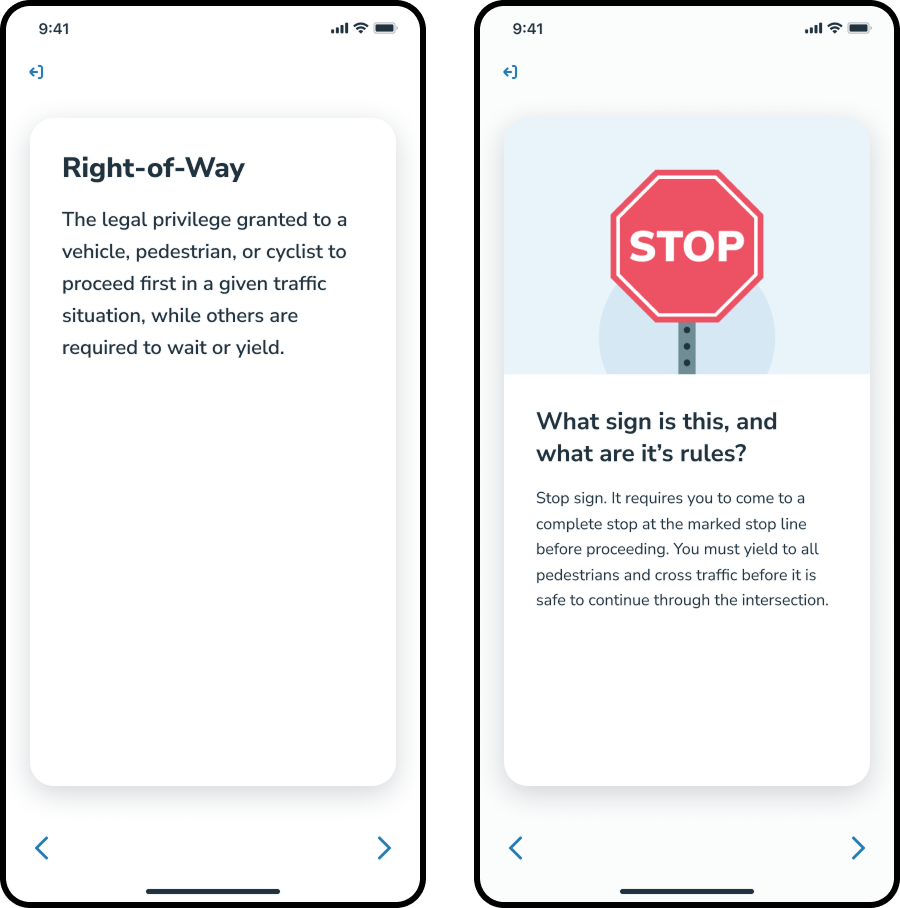
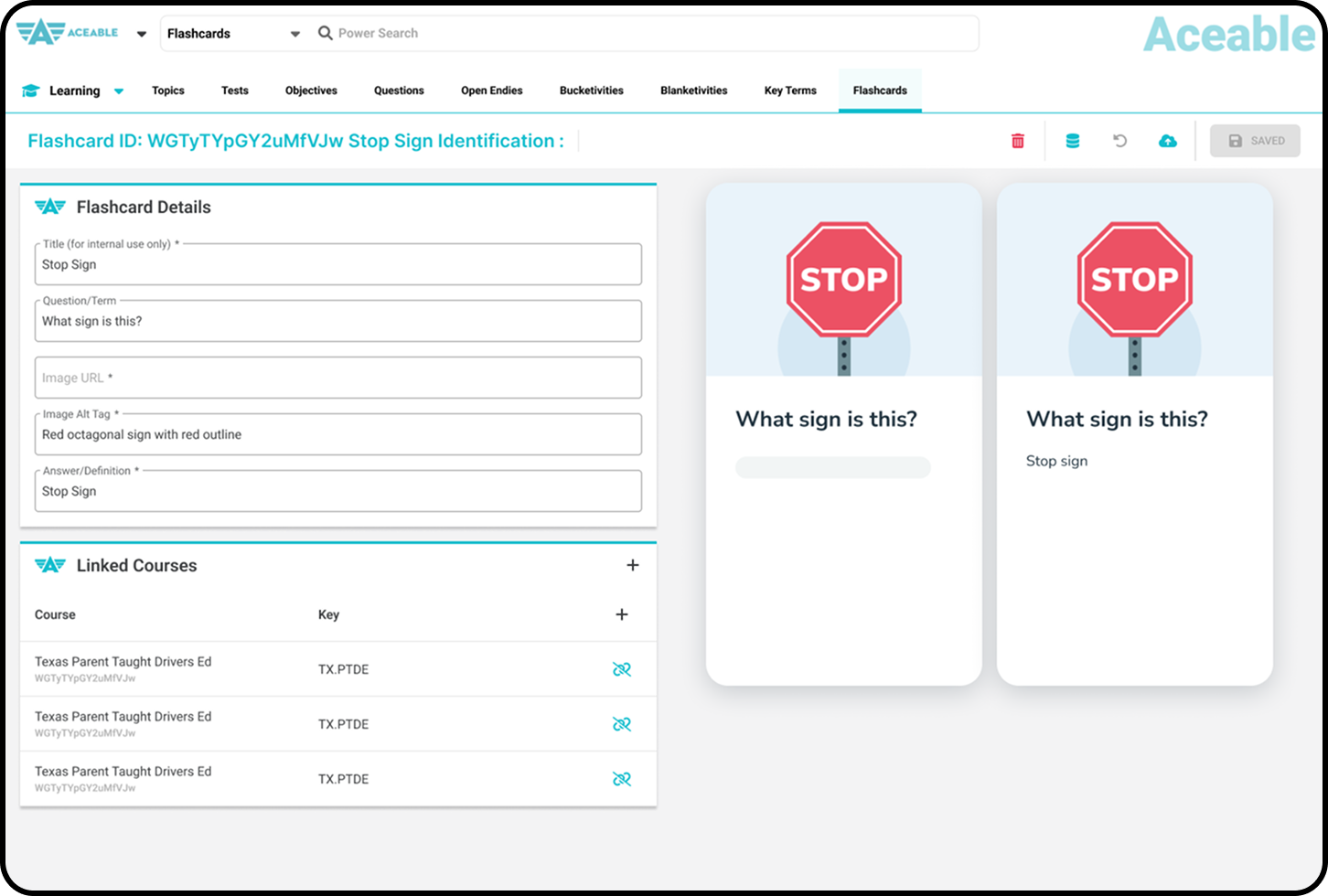
Final Design of Flashcards shown on a phone and desktop screen

Flashcards

From Afterthought to Core Study Tool

The business had a simple ask: add images to our existing Flashcards, decouple them from Glossary terms, and move on. Separately, my team was at the beginning of building a new standalone Test Prep product, and research pointed to Flashcards as a cornerstone of whatever that product became. I recognized the gap, delivered the key changes, and also approached this project as a foundational change in support of Test Prep.

Initial Problems

Leading into this project, Aceable was shifting focus towards solving a long-standing problem of our platform being ill-equipped to help students prepare for their exams. Courses were difficult to navigate as a means to review, and our study tools were immature.

I don't really go back and review because it's hard to find what I'm looking for.

Betty, Texas Pre-License Student

Our team was doing discovery, research, and testing a longer term vision for a new Test Prep platform and product. But, in the short term our team was also taking opportunities to improve the study features in our existing learning platform.

Improvements to Flashcards were seen as a short term effort. It existed already as an MVP feature in our learning platform, but it was conceived and built merely as a way for students to study vocab terms. It was accessible only through the glossary page, and it was not possible to use Flashcards for anything but studying vocab.

Research showed Flashcards was to be a cornerstone of *any* Test Prep product we developed. Any improvements to Flashcards in our current platform would translate completely to our new platform. The product & design team felt the new platform should not only be a leap forward in capability, but also a leap forward in design & experience.

Wireframe of an early version of the Test Prep dashboard
Hypothesis

Decoupling flashcards and glossary terms and improving the design and experience helps students in the near term as well as readies it to be a foundational part of Test Prep.

The Work

Initial Concept

I began with a conceptual prototype, built in Protopie. I initially built it to communicate to the Design Team how I might be approaching the design to make it feel more modern. I also find that early conversations go smoother when there is something concrete to react to rather than an abstract idea to imagine. In this case, the prototype helped as I pushed the idea that the project would benefit the long term Test Prep product if we put more time and attention into the design of the Flashcard experience.

Elevating Flashcards

The first real change was moving Flashcards out from within the Glossary and making them an independent feature that a student could access from the home screen. I also noticed a few UX improvement opportunities and took them. I rewrote the copy to sound more like our product voice rather than marketing voice, and made some layout and color changes.

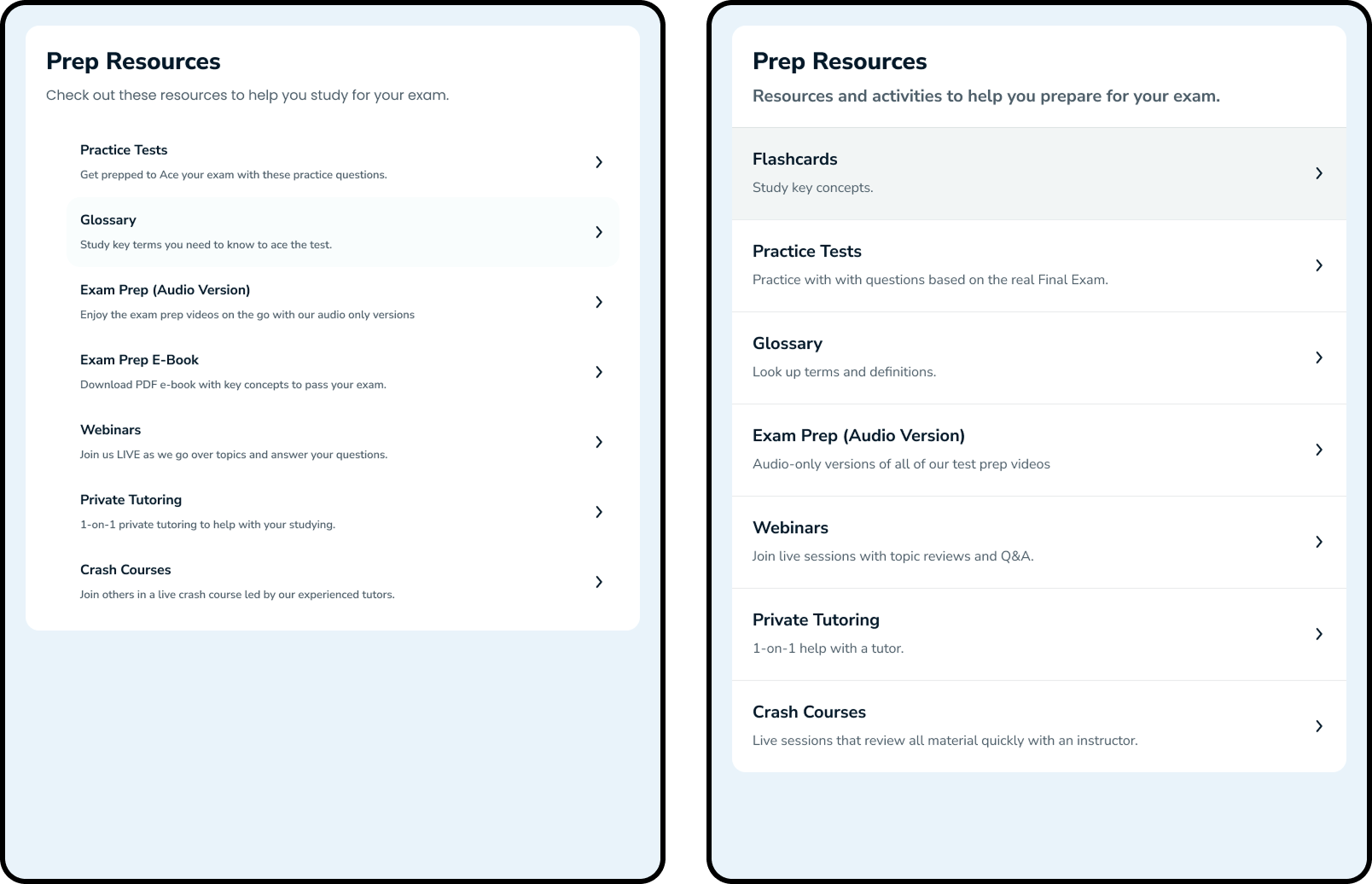
Before and after of dashboard after minor changes

Designing a Unified Deck

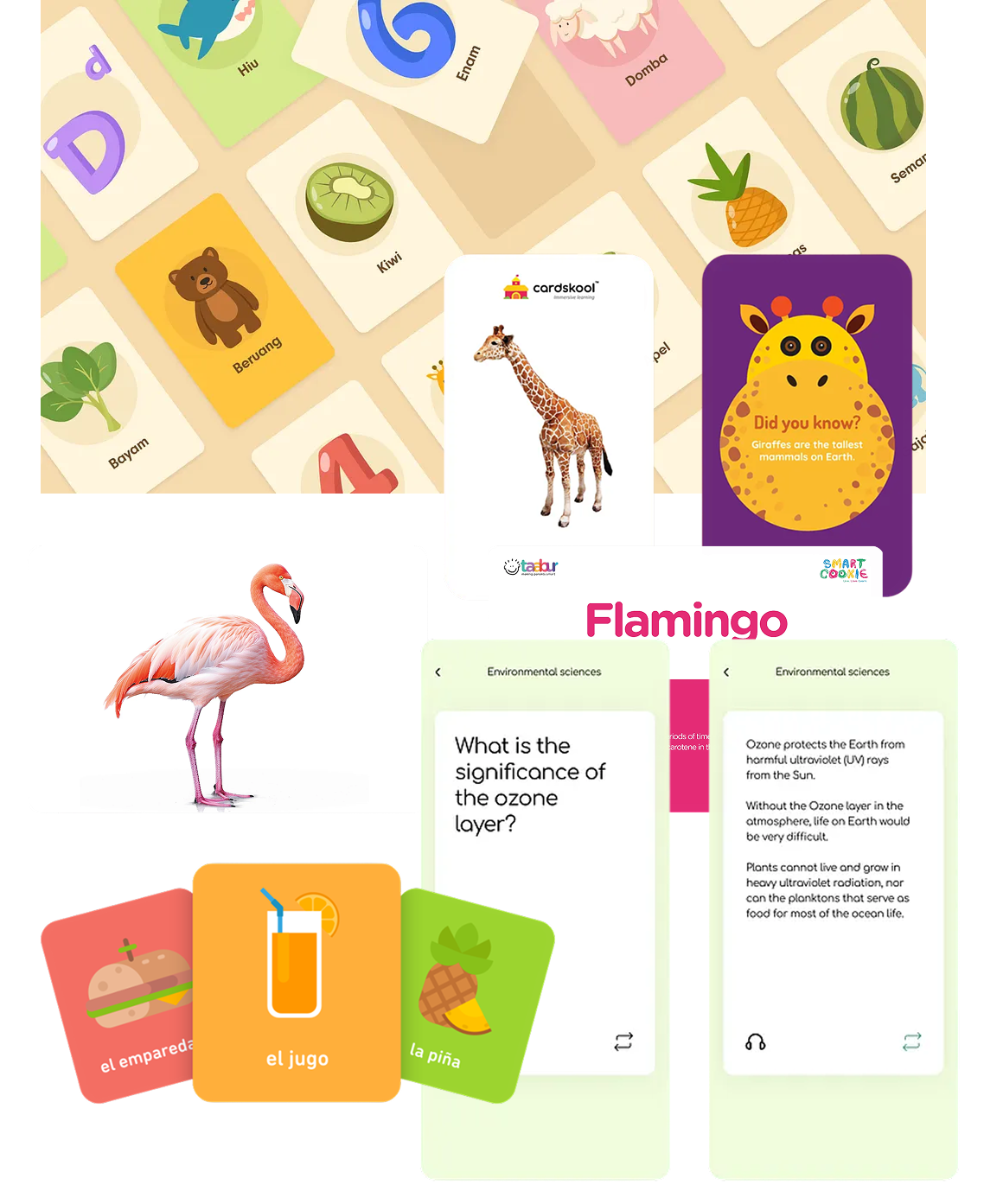
Flashcaard Inspiration

The only improvement I was specifically asked to target was to add images Flashcards, so that our instructional designers had more flexibility when creating new Flashcards that were no longer tied directly to vocab terms.

First, though, I met directly with members of the Learning Experience team and asked them to create examples of Flashcards they might create without any constraints. This ensured our attention was in the right place. The results validated images as the best improvement we could make, and helped inform the design decision to include the image on the front and back instead of just the front as was originally intended.

I also pulled together inspiration, from beautifully designed physical Flashcards to more flexible and responsive digital Flashcards. What was important, I saw, was consistent art style and layouts across cards within a deck.

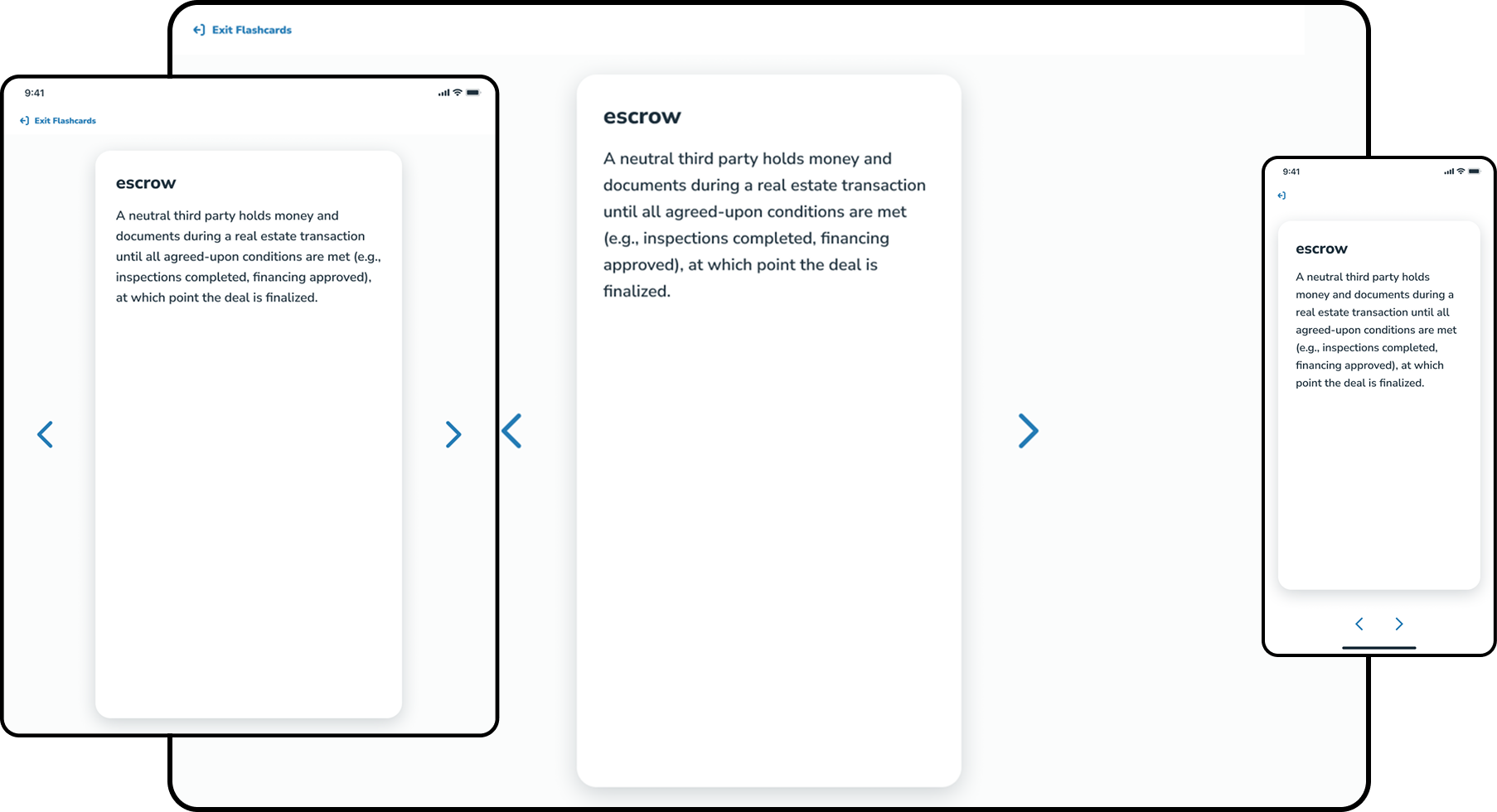
I took all of this into account, and landed on a uniform portrait layout across devices, with the option to add an image to a Flashcard which would show up on the front and back. This would be ideal on phones that had much less space, and could be accommodated on desktop screens that had more space. More importantly it meant less design overhead and less of a content burden on the learning experience team. I also worked with an illustrator to come up with an example of a repeatable illustration to share with instructional designers as they would be the ones making the actual imagery for the cards.

Original Responsive Flashcards
text vs. image flashcard WITH nav

When showing an early version of the design to the development team for feedback, they requested that we re-use the layout we already had for our course content screens. That led to a problem, though. Our course content screens had more restrictive spacing, which meant less text would fit on a Flashcard, especially one with an image. In the near-term I decided on a simple fix, reduce the size of the text on image-based Flashcards. Once the learning experience team made actual Flashcards we would see if they would need more space and we could spend more time solving the issue.

Protecting the Design Intent

We had a problem, historically, with the design intent of student-facing experiences drifting due to our LMS being overly-flexible. This was caused by a disconnect. The product & design team would craft a student experience, the internal tools team would translate that experience into the LMS, and another team would use the LMS to set up or manage products, course, or platform features.

Process w/ disconnect between design + lx

The drift was always felt most when a tool was directly affecting a student's experience, and Test Prep was a case where it affected their experience and *success.* It was important that we reduced this drift.

So, for this project, I worked directly with our internal tools developers to create a space in our LMS for instructional designers to create and manage Flashcards and to hopefully avoid this drift. I intended to implement strict guardrails to the word count and image size within the LMS to prevent drift between the intended design and what was actually built.

Unfortunately, our internal tools team, provided another constraint. We would have to re-use the layout and capabilities of the page that already existed in our LMS for creating and managing glossary terms. That page only allowed for setting a URL for an image, which meant an image could be any size or aspect ratio. If an image could be any size, there was no way to safely establish a character limit.

The compromise was to add a pixel-perfect preview in the LMS of the smallest possible Flashcard a student would see. If something breaks, instructional designers can see it and fix it. This would hopefully be a strong enough guardrail. The compromise was to add a pixel-perfect preview in the LMS of the smallest possible Flashcard a student would see. If something breaks, instructional designers can see it and fix it. This would hopefully be a strong enough guardrail.

Admin tool w/ image previews

I also held a training with the Learning Experience team once the tool was built where I showed the the design, explained the design intent, and presented the example illustration and suggested the team use that as a basis for their work.

The preview and training were not enough. When the learning experience team began creating flashcards, they did not match our design intent.
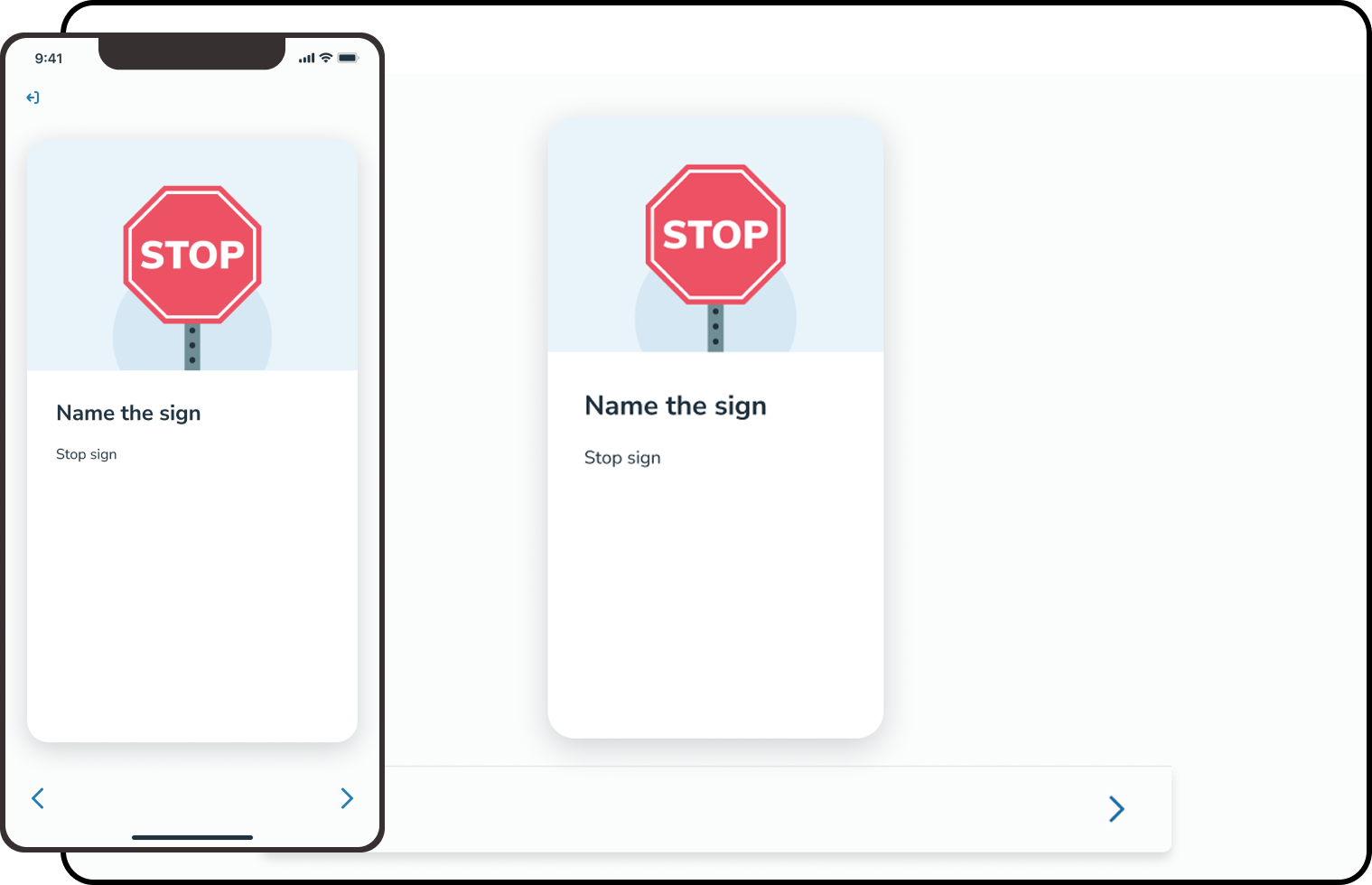
Examples of drift between design intent and real world implementation

We agreed more work was needed, but it wasn't prioritized before I left Aceable.

Impact & Learning

Flashcards were more discoverable, cleanly separated from the glossary, and set a stronger design foundation for Test Prep. We folded the new Flashcards into the Test Prep prototype, which we were testing with students. The feedback was entirely focused on the experimental features we were adding, and not on the new Flashcards themselves. That was a win.

What I didn't solve was the drift. I tried to unilaterally fix with through the LMS, but it was a cultural problem, not a tooling one. If I had stayed at Aceable, my next step would have been a cross-team conversation, not another guardrail.