66% of real estate students who start a course will never complete it.
We believed that without the support, guidance, and accountability of a live instructor, students got stuck when the material gets difficult. Once momentum was lost and life got in the way, many would never return to finish the course.
The initial prototype of Virtual Instructor was focused on giving students immediate answers when they had questions about course material.
Before Virtual Instructor became an official project, another team built an initial working prototype named "AceI", which was a working AI chat prototype able to answer questions about the course a student was taking.
But we had questions: Will students try it? Will they trust the answers? And will they come back to it when they need help the most?
The big question was, If Virtual Instructor can support students during difficult parts of their course, will they be more likely to complete?.
Realistically, though, we could not use course completion as a KPI. Any way we looked at it, these courses were long and it would be difficult and too time consuming to try and tie this behavior to the completion of a course which often takes these students months.
Instead we based our work around the hypothesis that if students engage with Virtual Instructor repeatedly and recieve accurate answers, then course completion rates will increase becasue students will encounter fewer moments of friction when they don't understand the course material.
The metrics we instead focused on were engagement and answer accuracy.
Our goal was to have 15% of students asking multiple questions, while maintaining an answer accuracy of at least 85%.
We new the what: an AI chatbot. We knew the why: to give students immediate help when material got difficult. What we did not know was how to get students to use it, to understand it, and to trust it.
We decided to take an agile approach. We would launch the working prototype, then iterate rapidly, making mostly small strategic improvements, measure, collect feedback, and adjust our approach as we went.
The scope of the work went beyond just making iterative changes to the user facing experience. We had our subject matter experts checking the Virtual Instructor's answers to track accuracy, our lead architect with the support of the development team improved the performance and scalability of the underlying infrastructure, and we also focused on rolling the experience out to as many courses as possible to increase the diversity of our audience and feedback. We also had a data engineer dedicated to ensuring accurate tracking and building dashboards for us to keep an eye on the effect of oru changes.
My work as a designer was focused both strategically and tactically on increasing engement.
A quote that conveys the nature of my work and helps transition into the flow of work.
Why?
Why re-invent the wheel? as they say. If the same job is done elsewhere, in a familiar way, it's best to follow that pattern than making something new just because. I am not sure there is a more ubiquitous experience than a “chat” experience.
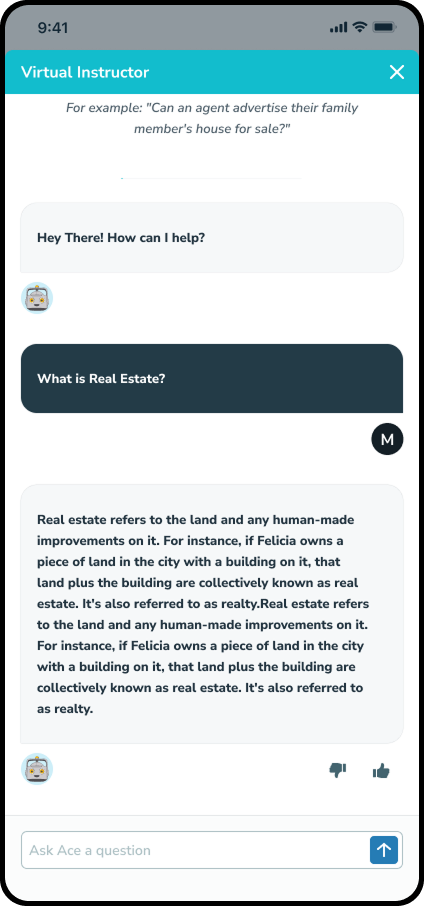
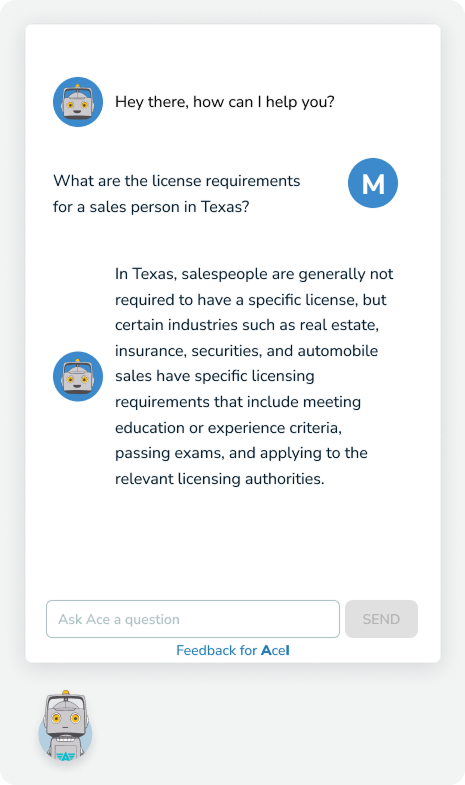
The original proof of concept was originally patterned after an outdated customer service decision tree chat experience, whereas we wanted to create a more modern “texting with your professor” feel.
1
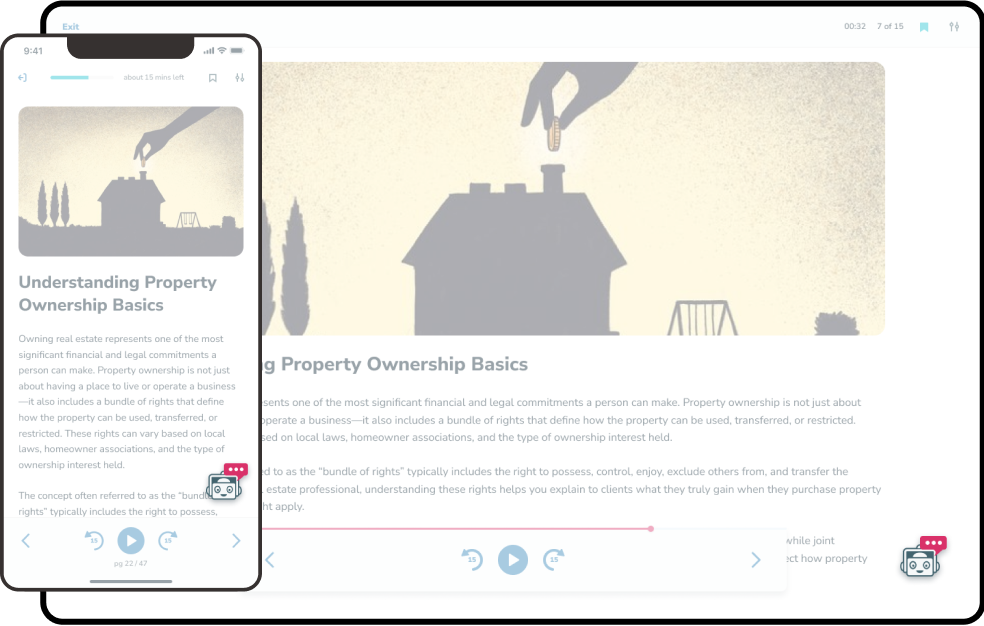
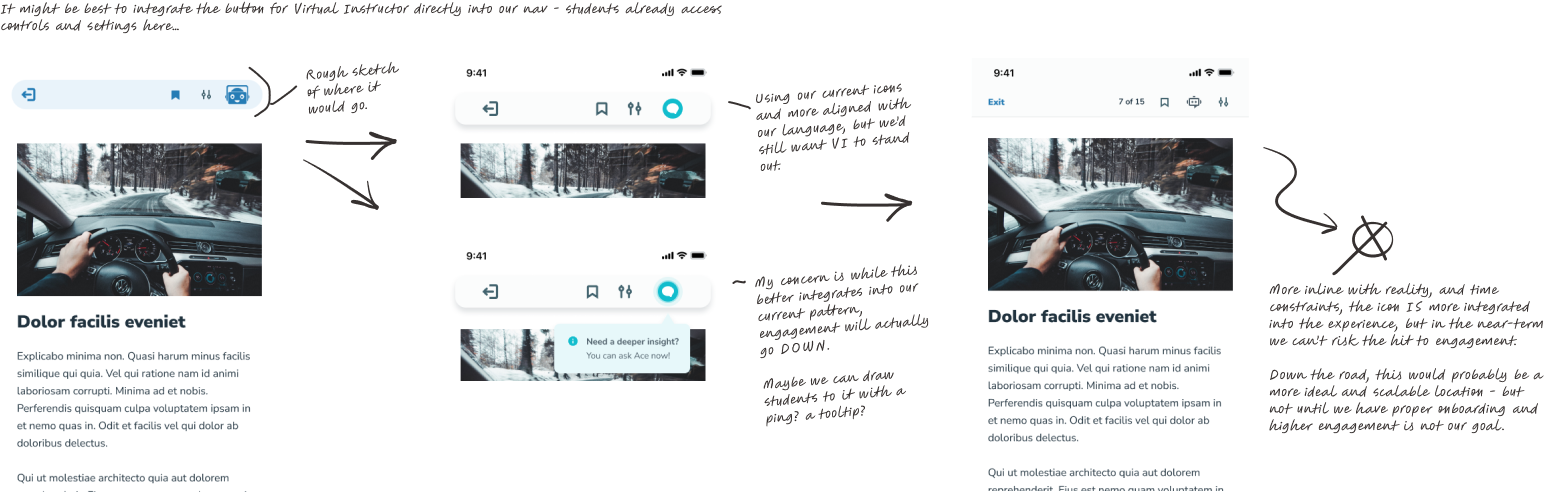
There was a balance between integrating it better into our experience and making it's location and design more familiar.
The floating button could be disruptive to a student learning, but the benefit of it is it's quick to access and if it's in a familiar location and designed properly it could be immediately recognizable as a chat without any onboarding whatsoever.
There was a balance between integrating it better into our experience and making it's location and design more familiar.
The floating button could be disruptive to a student learning, but the benefit of it is it's quick to access and if it's in a familiar location and designed properly it could be immediately recognizable as a chat without any onboarding whatsoever.